NSA eGift Cards Instructions
Discover the savings with NSA eGift Cards

eGift Cards can be purchased via a personal computer, tablet, or smartphone.
1.
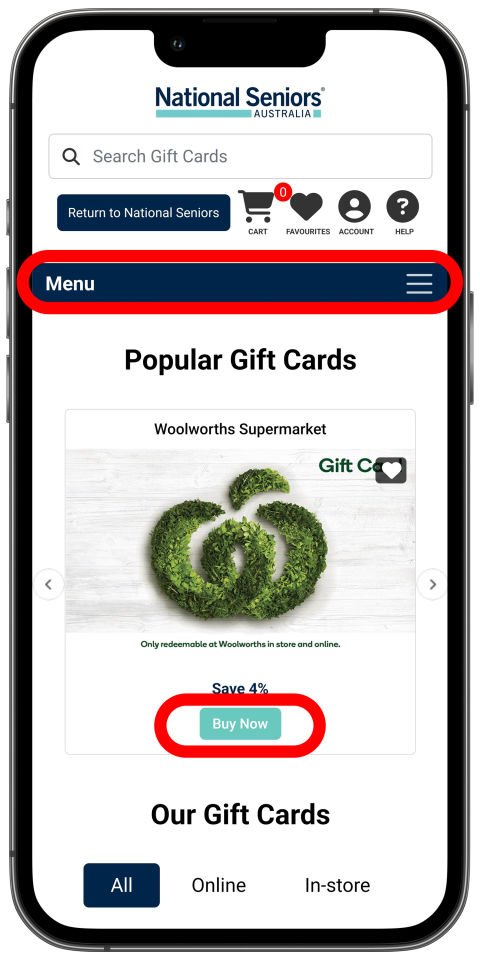
Make sure you are logged in to your NSA Membership. Then, open the eGift Cards portal and navigate using the menu to find your eGift Cards to purchase. Press the 'Buy Now' button to add your preferred card.
2.
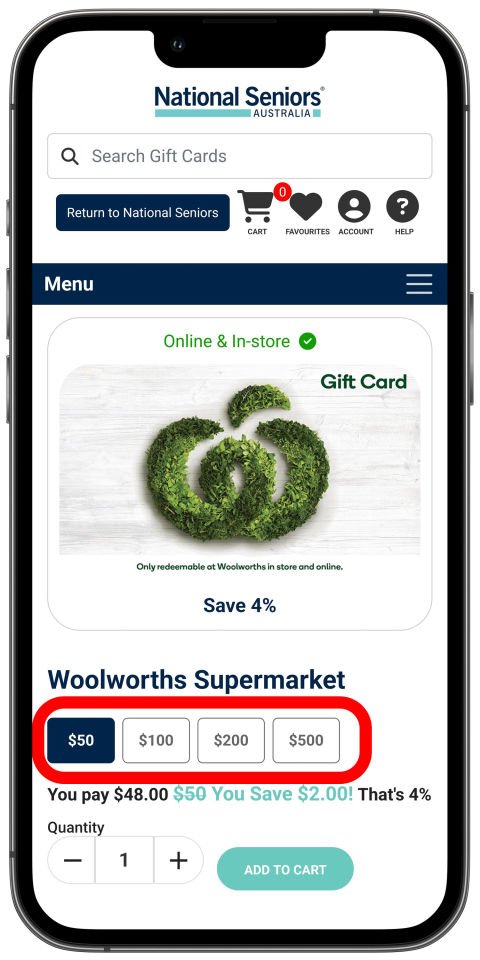
Choose your desired gift card balance, then add to cart.
3.
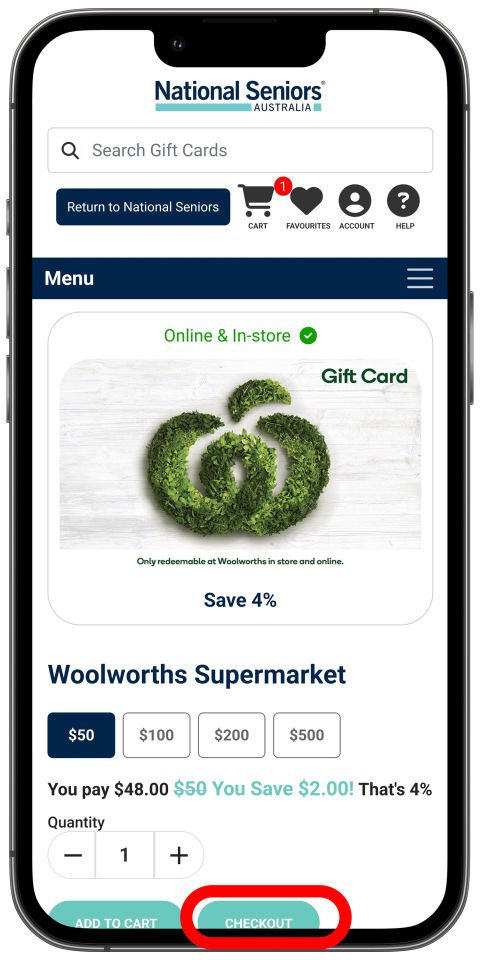
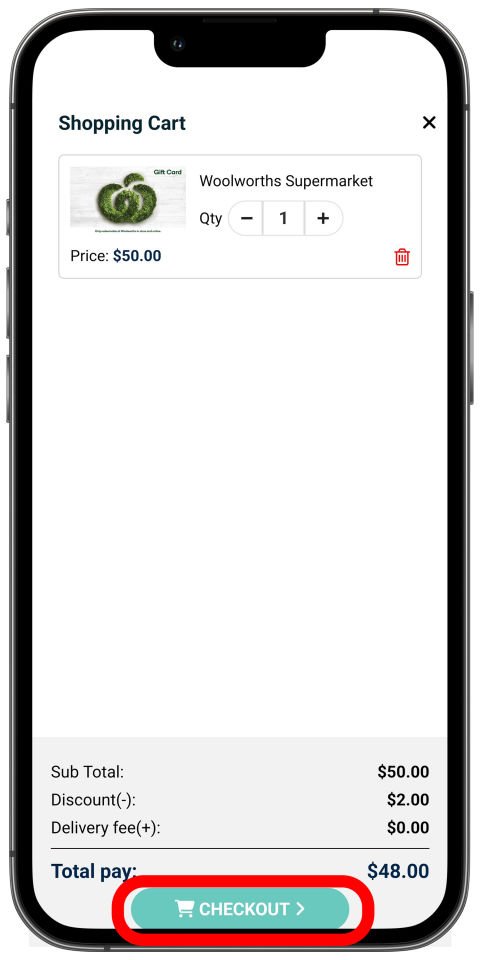
Add as many cards as you would like to your cart, then when you are ready, press 'Checkout' to proceed to payment.
4.
Review your cart and adjust your order if required, then proceed to checkout.
5.
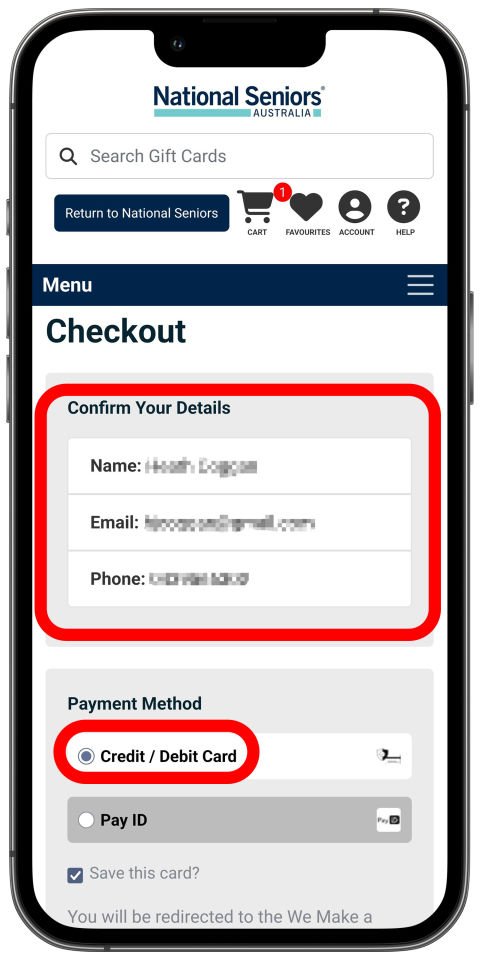
Fill out your name and email address so the gift card can be sent to you. Choose your payment type (Credit / Debit Card is recommended) and fill in the card details.
5.
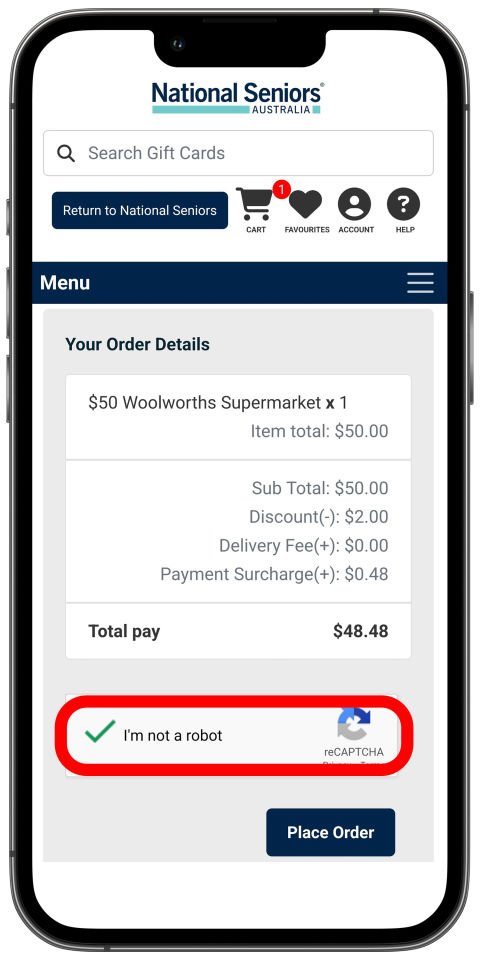
Complete the security check to proceed to payment.
6.
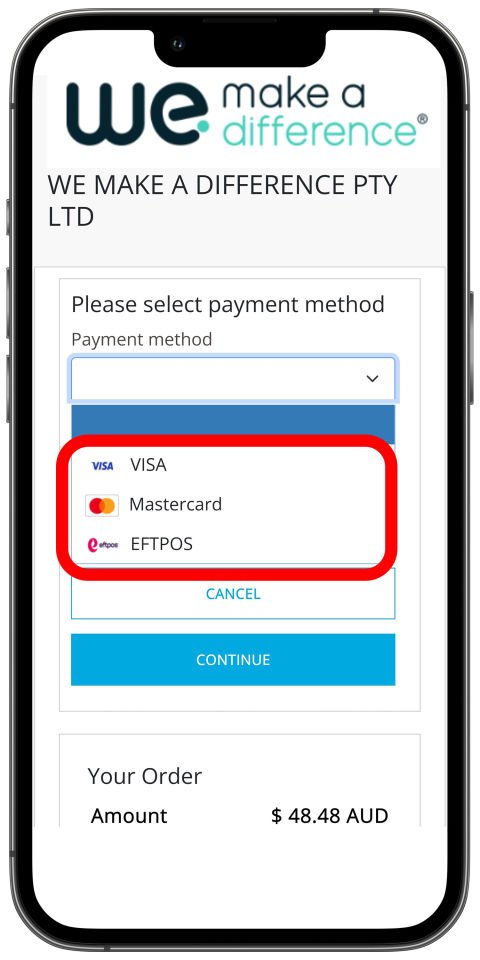
Choose your payments provider for your card (e.g. VISA or Mastercard) and fill out your card details to proceed to finalise the purchase.
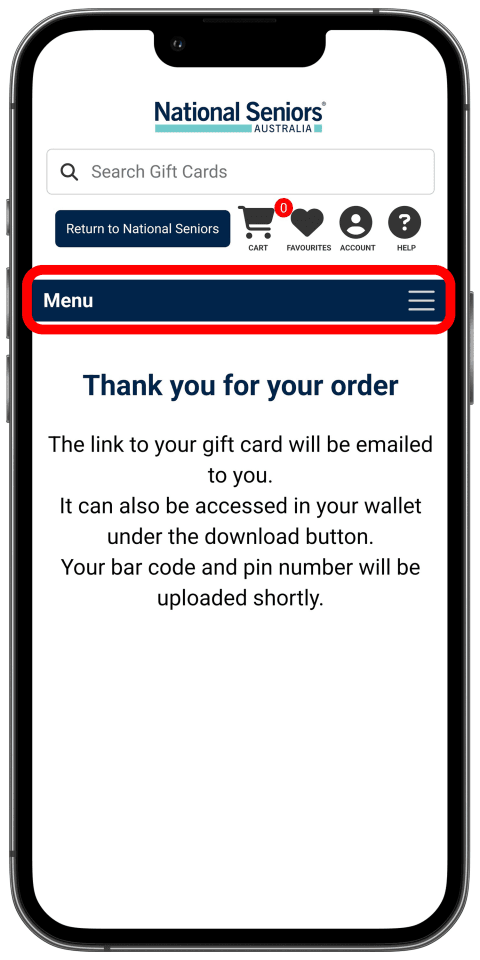
7.
Your eGift Card is being processed, which can take up to a few minutes. You can then proceed to your eGift Card wallet by pressing the menu.
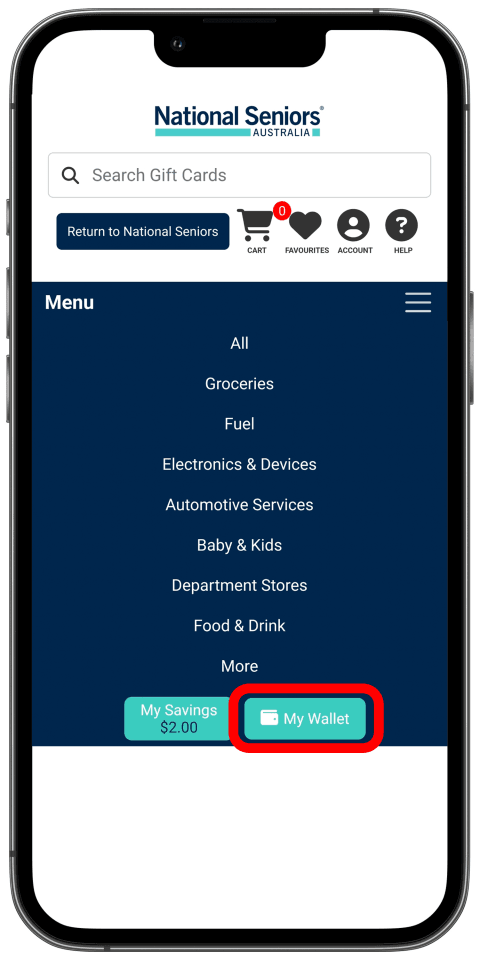
8.
Press the 'My Wallet' button to navigate to your eGift Card wallet.
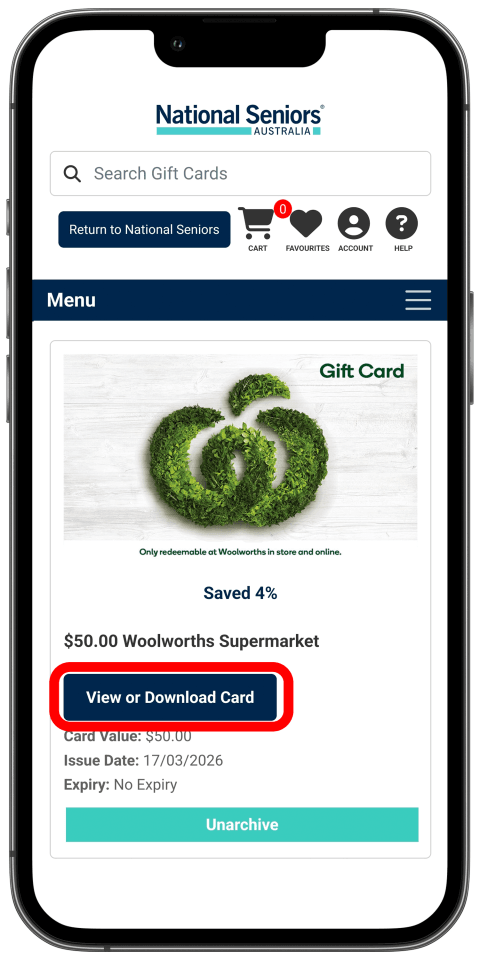
9.
Press 'view' on the card you want to use. If it is not there, wait a few minutes, then navigate again in the menu to your wallet to reload the page.
If you have purchased multiple cards, you may need swipe to scroll through to see all your cards.
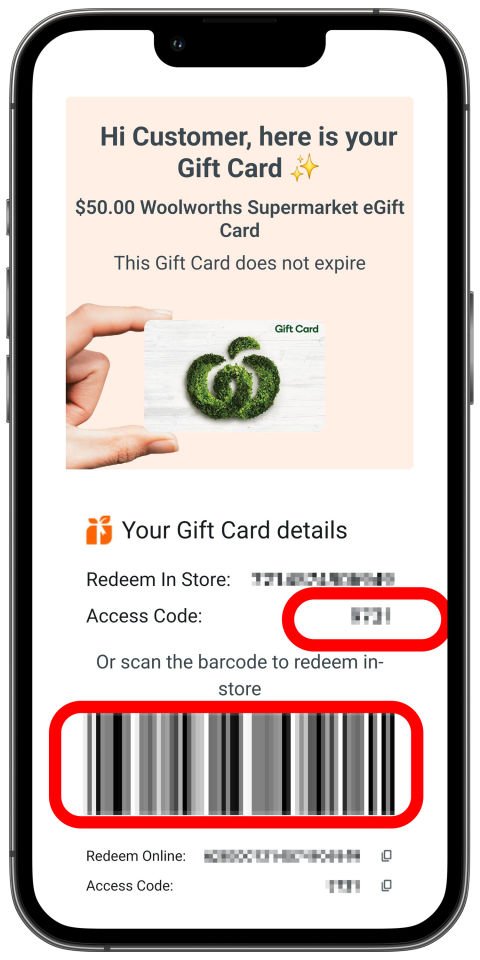
10.
Some cards may have different usage terms. For example, this Woolworths card can be used in-store and online. The circled Barcode can be scanned at checkout, and the Access/Pin code is provided.
You may present your phone showing the details in-store to redeem, or if a barcode and pin is provided, print out the page using a computer. For supermarket gift cards, staff are able to assist with entering gift card details into checkout machines.
Please contact our friendly Membership team on 1300 76 50 50.