The Age Pension age is NOT changing
Fake news creators target seniors, so don’t believe everything you read, hear, or see on social media.

Keep Scam SAFE
The National Seniors Australia (NSA) Keep Scam SAFE campaign helps older Australians stay informed, confident, and protected online.
We provide informative resources, including articles and videos, and support to help you understand ways you can protect yourself online.
For further information, click here.
The department responsible for delivering Federal Government payments, such as the Age Pension, has taken the unusual step of going public to rebut web-search and social media news that the pension age has increased.
There are no plans to change the pension age, which is 67 years, nor are there any changes to payment eligibility or offering bonus payments.
The department advises, “If there are changes to any of our payments or services, we’ll let you know on our official website and official social media channels. You can also ask us on our social media channels.”
The days of mistakes inadvertently being made by an individual newspaper reporter and the newspaper retracting the mistake are long gone.
Many seniors now get news and information by searching the web and through social media. So, it’s now not about the reader necessarily choosing the information, the information comes to the reader. And fake information can be deliberate. Why?
In our click-driven world, controversial headlines also generate more attention, engagement, and subscribers. That means there’s ample motivation for some news websites to share or even create fake news – even if it hurts others. It’s called clickbait.
Surprisingly perhaps, information about clickbait and tips to identify fake news and information was not to be found on the Services Australia or Centrelink websites (although useful information about avoiding scams is available).
The best top tips are available on the eSafety Commission website, on the Young People page and not the Seniors page! Given the rise in fake information aimed at seniors, it’s time this information was better targeted to seniors.

Check the story’s source and credibility
The first thing you should do if you come across a fishy story on the timeline, is to check the story’s credibility. Ask yourself:
Do you recognise the account or news site that’s sharing the story?
Does the person who’s reporting the information have the right credentials to tell this story?
If the answer to these two questions isn’t a confident “yes”, this could be a sign you’ve stumbled onto fake news. Fake news is often published by “independent” organisations or reporters – meaning people who may not have done appropriate research.
Check for biases or an agenda
Understanding how or why the story was written can also tell you a lot about its facts. If the story was shared onto your timeline by a specific account, try to figure out that account’s intentions. What do they want you to do or believe after reading the information they’re sharing – and does that action or belief seem reasonable?
Consider how the story is written
If you’re still unsure, it may be worth opening the article itself. The way a news story is written is often a giveaway to whether it’s fake news. The story may be fake news if it:
Uses simplistic terms or emotionally-charged terms for complex issues
Employs or references stereotypes without acknowledgement or context
References incorrect or outdated information
Employs sensational headings rather than focusing on facts
Misspells words or uses incorrect grammar
Uses low-resolution pictures, or pictures that appear to be manipulated.
People who create fake news are less interested in reporting the truth as they are in producing sensational content or information that furthers their interests.
If you feel comfortable and want to engage, do a deeper dive
Fake news is getting more sophisticated, which means it’s harder to catch. If you’re still unsure – but are mentally prepared to engage – it may be worth doing a deeper dive on what you’re reading.
Checking an article for disinformation – such as the deliberate use of outdated, disproven, or irrelevant quotes – can help you figure out how much to trust it. If an article uses incorrect information, but doesn’t appear to have harmful intentions, it may just be misinformation.
More information about fake news and misinformation can be found here. Information on how to identify and avoid online Centrelink scams is available here.
"Be Connected" is an Australian Government online program designed to help older people improve their digital skills, confidence, and online safety. It provides free online resources, such as courses and interactive tutorials, on topics from using a mouse to online shopping and identifying scams.
The program also offers support through a network of community organisations and a Young Mentors initiative that pairs school students with seniors for digital guidance.
The program aims to “build your digital skills, confidence and safety online with our free learning content and computer classes.”
More information is available here.
Related reading: Services Australia, ESafety, Be Connected


Thousands of Australia-wide discounts
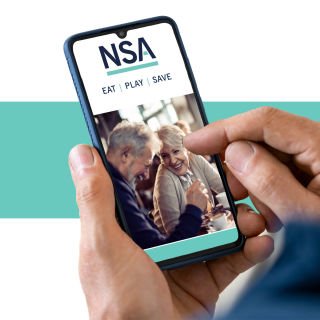
Exclusive offers and savings across dining, shopping, gift cards, and more – all in the EAT | PLAY | SAVE app.

Members save 10% on Travel Insurance*
National Seniors members receive a 10% discount on travel insurance policies*.
Financial Information Consultant
Speak to a real person and receive up-to-date information on retirement planning, superannuation, and more!

Branches
Expand your social circle, enjoy social events, day trips, guest speakers, and meet like-minded members.

Exclusive Travel Discounts
Save on tours, cruises, and holidays with exclusive discounts on National Seniors Travel.

Our Generation Digital Magazine
Receive a yearly subscription to Our Generation Digital Magazine.

The Good Guys Commercial
Members enjoy exclusive access to The Good Guys Corporate Benefits. Save on small and large appliances as well as technology.
Advocacy & Research
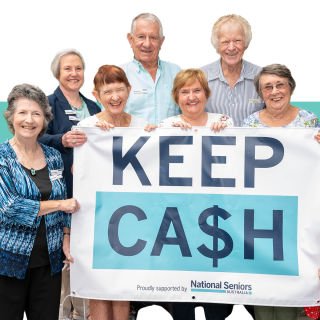
Your membership directly funds our advocacy and research work fighting issues that affect you.

Competitions
Access exclusive member-only weekly competitions including books, DVDs, CDs, movie tickets and more.

Discounts
In addition to the discounts app, members can save thousands on eGift Cards and other discounted products.
*The discount applies to the total National Seniors travel insurance premium and is for National Seniors Australia members only. Discounts do not apply to the rate of GST and stamp duty or any changes you make to the policy. AGA has the discretion to withdraw or amend this discount offer at any time. This discount cannot be used in conjunction with any other promotional offer or discount.
National Seniors Australia Ltd ABN 89 050 523 003, AR 282736, is an authorised representative of AWP Australia Pty Ltd, ABN 52 097 227 177, AFSL 245631, trading as Allianz Global Assistance (AGA), and acts as AGA's agent and not as your agent. nib Travel Services (Australia) Pty Ltd (nib), ABN 81 115 932 173, AFSL 308461 acts as third party administrator on behalf of AGA, managing claims, complaints, enquiries and sales. This is general advice only. Before you buy, you should consider whether the product is appropriate for you, the Product Disclosure Statement (PDS), Financial Services Guide (FSG) and Target Market Determination (TMD) is available from us. This insurance is underwritten by Pacific International Insurance Pty Ltd, ABN 83 169 311 193, AFSL 523921.